How to Use the Keyboard Polling Rate Test
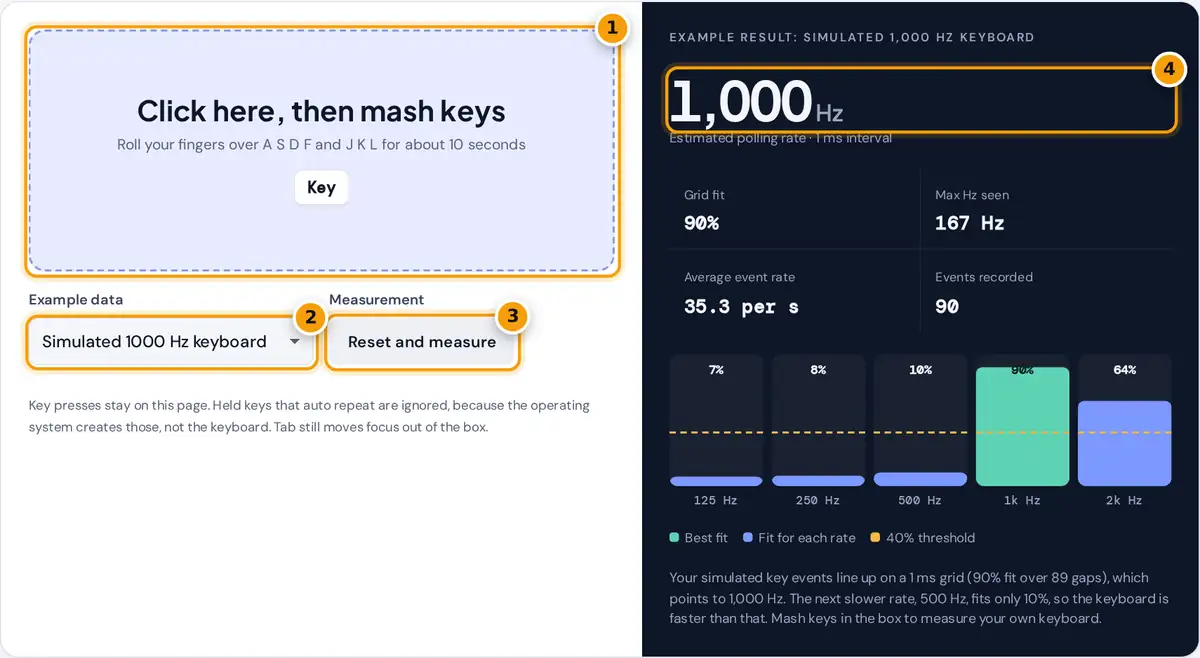
- Click the box, then roll your fingers over several keys quickly for about 10 seconds.
- Choose a simulated 125, 500 or 1000 Hz keyboard, or noisy timing, to see what each result looks like.
- Press Reset and measure to clear the example and start a fresh reading.
- Read the estimated polling rate, its grid fit, the max Hz seen and the fit chart for each rate.
Click inside the box so it has focus, then press keys quickly for about ten seconds. Rolling several fingers across A, S, D, F and J, K, L works well, and so does pressing two or three keys at once. Every key press and release is a timestamped event. Once the test has 40 usable gaps between events, it shows an estimate, and it keeps refining that estimate as you type more.
The large number is the estimated polling rate. Grid fit says how strongly your events line up with that rate's timing grid. Max Hz seen converts the shortest gap between two separate events into hertz, and Average event rate is how many key events per second you produced. The bars show the fit for each candidate rate, and the green bar is the winner. The page opens with simulated data; choose another example to see what a 125 Hz keyboard, a 500 Hz keyboard or noisy timing looks like.
How the Polling Rate Is Estimated
A USB keyboard does not send a key press the instant it happens. The computer polls it at a fixed interval, such as every 8 ms at 125 Hz or every 1 ms at 1000 Hz, and the keyboard reports any change at the next poll. That means every key event lands on a timing grid, so the gaps between events are whole multiples of the polling interval, plus a little noise.
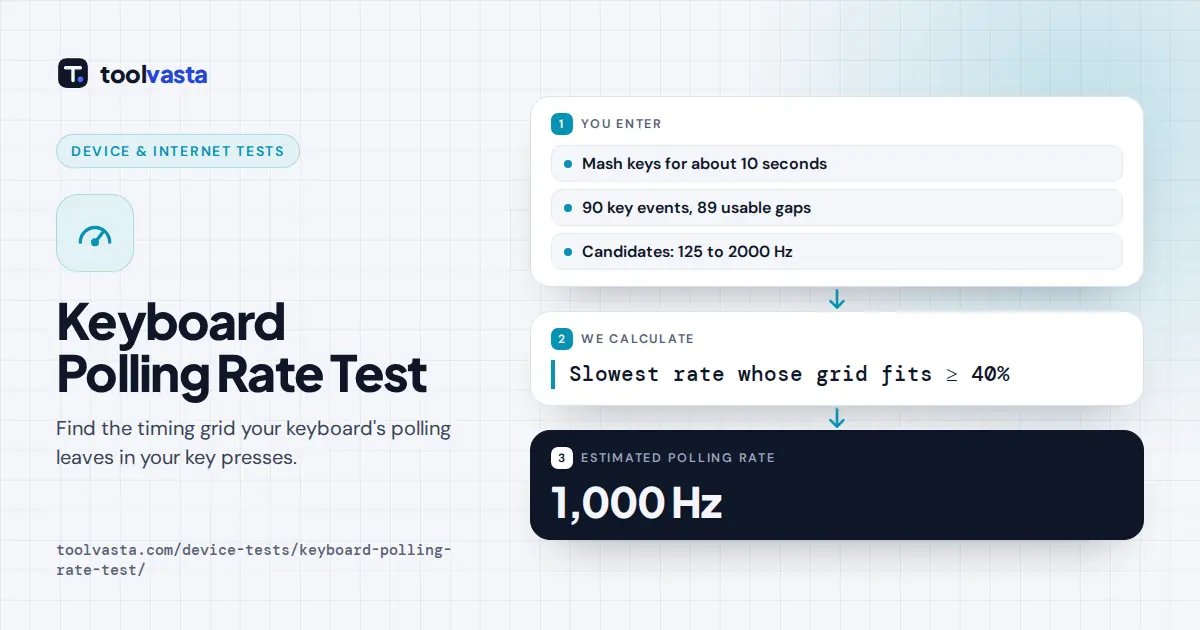
The test measures every gap between 0.3 ms and 250 ms and checks it against the interval of each candidate rate. Each gap becomes an angle on a circle whose circumference is the interval. If the gaps really are multiples of that interval, the angles bunch together; if not, they spread out and cancel. This is the Rayleigh test from circular statistics.
fit R = |sum of (cos angle, sin angle)| ÷ number of gaps
estimate = slowest rate with R ≥ 0.40 (at least 40 gaps)
The slowest matching rate wins because a 1 ms grid also fits a 0.5 ms grid: every multiple of 1 ms is a multiple of 0.5 ms. The reverse is not true, so the slowest rate that fits is the real one.
Worked Example
Take four gaps: 23, 18, 41 and 30 ms. Against a 1 ms interval (1000 Hz), each gap is a whole number of intervals, so every angle is 0 and R = 4 ÷ 4 = 1.00. Against a 2 ms interval (500 Hz), 23 and 41 are 11.5 and 20.5 intervals, pointing the opposite way to 18 and 30, so the four directions cancel and R = 0. The 500 Hz grid fails and the 1000 Hz grid fits, so the estimate is 1000 Hz. Real data has noise, which is why the test needs 40 or more gaps.
| Polling rate | Interval | Where you find it |
|---|---|---|
| 125 Hz | 8 ms | Many office and older keyboards |
| 250 Hz | 4 ms | Some laptops and low power modes |
| 500 Hz | 2 ms | Some wireless keyboards |
| 1000 Hz | 1 ms | Most gaming keyboards |
| 2000 Hz and up | 0.5 ms or less | High end gaming keyboards on high speed USB |
What a Browser Can and Cannot Measure
- Timestamps are rounded. Browsers round event times, often to 0.1 ms, so rates above 2000 Hz cannot be told apart and are not offered.
- The system adds noise. Some operating systems and browsers stamp key events when they handle them rather than when they arrive. If that noise is larger than the polling interval, no grid appears and the test says so instead of guessing.
- Polling is not total latency. Before polling, the keyboard scans its key matrix and debounces each switch. Those delays can be several milliseconds and are invisible to this test.
- Wireless and Bluetooth. Bluetooth keyboards follow the radio connection interval, which may not match any rate in the list.
Tips for a Reliable Result
- Close other busy tabs and apps, then test for a full 10 to 20 seconds.
- Press keys in fast rolls and chords, not slow single taps, to collect many short gaps.
- Run the test twice. A stable estimate with a fit above 60% is a confident result.
- After changing the rate in your keyboard software, press Reset and measure.
Frequently asked questions
What polling rate should a keyboard have?
For typing, 125 Hz is perfectly fine. Gamers often prefer 1000 Hz, which cuts the wait for the next poll to at most 1 ms. Rates above that bring smaller gains, and debounce and scan delays usually matter more.
Why does the test say no clear grid?
Your key timestamps do not line up with any rate from 125 to 2000 Hz. The keyboard may poll faster than 2000 Hz, or your browser and system add enough timing noise to hide the grid. Check your keyboard software.
Is the Max Hz seen value my polling rate?
Not exactly. It converts the shortest gap between two separate events into hertz. System delays can squeeze two events closer together, so treat it as a rough upper hint and rely on the grid estimate instead.
Does holding a key down help the test?
No. When you hold a key, the operating system repeats it at its own fixed speed, which says nothing about polling. The test ignores those repeats, so press and release keys quickly instead.
Can this test measure input lag?
No. Polling is only one part of input lag. Key scanning, switch debounce, the game and the monitor all add delay, and none of those can be measured from timestamps inside a web page.
Does it work with Bluetooth or laptop keyboards?
Yes, but the result may be no clear grid. Laptop keyboards are often scanned by an internal controller, and Bluetooth keyboards follow the radio connection interval, so their timing may not match standard USB rates.