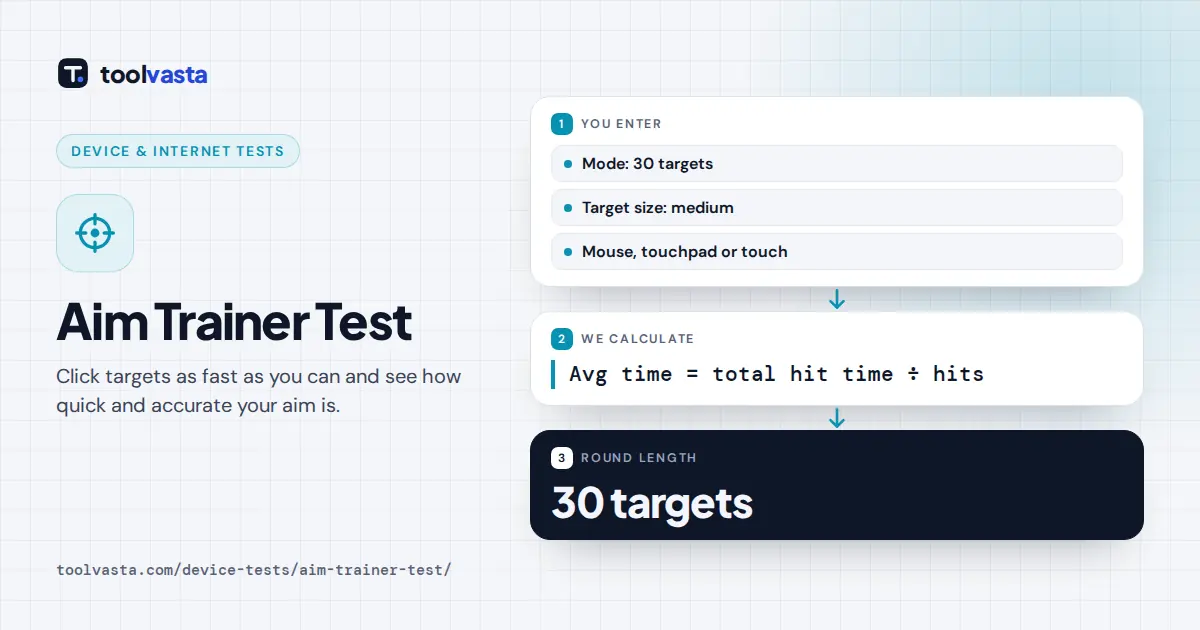
How to Use the Aim Trainer Test
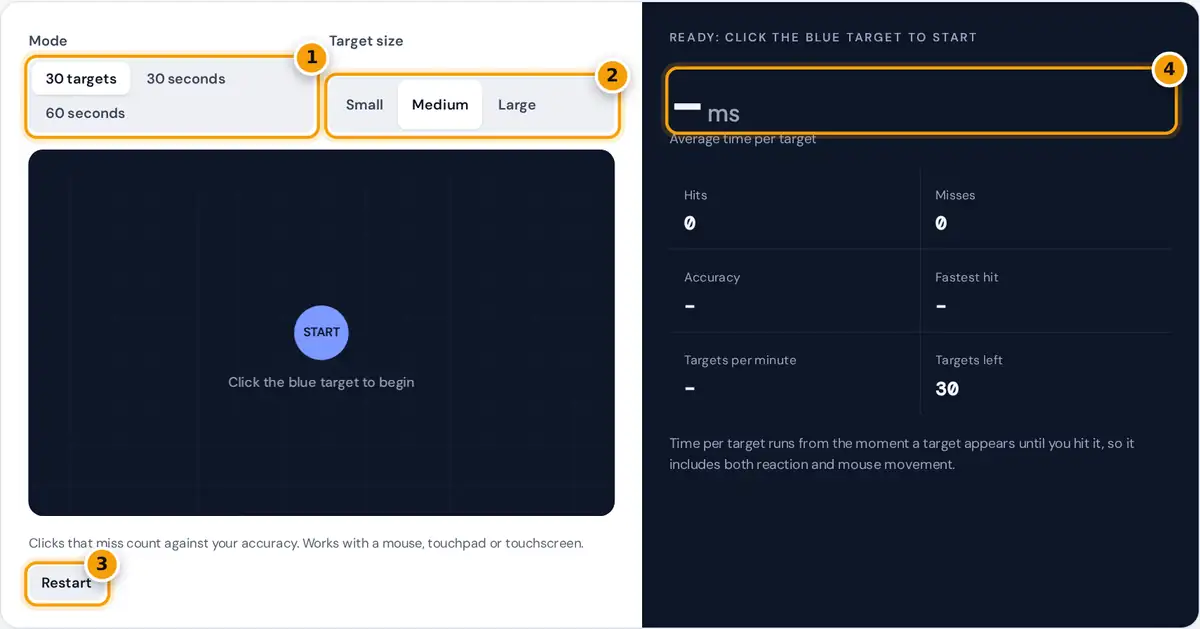
- Pick a mode: a fixed 30 targets, or as many hits as you can in 30 or 60 seconds.
- Choose the target size. Small targets test precision, large ones test raw speed.
- Click the blue target to start, or press Restart to begin a fresh round.
- Read your average time per target in ms, then check accuracy, fastest hit and targets per minute.
Choose a mode and a target size, then click the blue Start target in the middle of the play area. A red target appears elsewhere, and the next one appears the moment you hit it.
In 30 targets mode the round ends after your 30th hit. In the 30 seconds and 60 seconds modes you hit as many targets as you can before the clock runs out, so speed matters.
Clicks that land outside a target count as misses and lower your accuracy. Each new target is placed well away from the last, so every hit needs a real flick rather than a tiny adjustment.
How Your Aim Test Score Is Calculated
The aim test reports four numbers when the round ends: average time per target, accuracy, your best single hit and targets per minute. Lower times and higher accuracy both point to better, more controlled aim.
average time = sum of all times ÷ number of hits
accuracy = hits ÷ (hits + misses) × 100
targets per minute = hits ÷ minutes elapsed
Time per target combines your reaction time with the time it takes to move the cursor onto the target. It is therefore longer than a pure reaction time test, where you only press one button.
Timing uses the browser's high-resolution clock, defined in the W3C High Resolution Time specification, so each hit is measured to a fraction of a millisecond from the moment the target was first drawn on screen.
Worked Example: 30 Targets
In 30 targets mode you hit all 30 targets and miss 4 times. Your accuracy is 30 divided by 34, times 100, which gives 88.2%. That is close to the 90% mark worth aiming for.
If your 30 hit times add up to 15,600 ms, your average is 15,600 divided by 30, or 520 ms per target. Your best hit is simply the single fastest time in the whole round.
Because each new target appears the moment you hit the last one, the round lasts about 15.6 seconds, or 0.26 minutes. Your rate is therefore 30 divided by 0.26, which is 115.4 targets per minute.
What Is a Good Aim Test Score?
On medium targets, an average under 600 ms per target with accuracy above 90% is a strong result. Competitive FPS players often get well under 450 ms, while new players usually sit above 800 ms.
| Average time per target (medium targets) | Rough level |
|---|---|
| Under 450 ms | Very quick |
| 450 to 600 ms | Quick |
| 600 to 800 ms | Typical |
| Over 800 ms | Room to improve |
These bands are our own rough guide for this trainer, not an official standard or percentile ranking. Online aim tests use different target sizes, distances and scoring, so their published benchmarks cannot be compared directly.
The fairest comparison is always with your own earlier results on the same settings. Accuracy above about 90% with a steady average time shows you are aiming, not just clicking wildly around the whole screen.
What Affects Your Aim Score
Fitts's law explains most of the result: movement time rises as the distance to a target grows and falls as the target gets bigger. Choosing small targets therefore makes every single round slower for everyone.
Mouse sensitivity and DPI matter a lot too. Very high sensitivity causes overshoot and extra corrections, while very low sensitivity forces slow, long movements. A steady setting builds muscle memory faster than constant small changes.
Hardware adds small delays. A 60 Hz monitor draws a new frame every 16.7 ms, while a higher refresh rate shows the target sooner. A clean mouse sensor and smooth mouse pad also help tracking.
How to Improve Your Aim
Put accuracy first, because missed clicks cost time. Slow down until you hit 90% or more, then speed up gradually. Speed built on clean hits transfers far better to competitive games like Valorant and CS2.
Use your arm for large flicks and your wrist or fingers for the final micro-corrections. Keep your eyes on the next target first and let your hand follow, rather than watching the cursor itself move.
Train in short sessions. Ten focused minutes a day tends to work better than an hour once a week, because hand-eye coordination improves through regular practice, and motor skills settle during the rest between sessions.
- Keep the same sensitivity for a few weeks before judging progress.
- Warm up with a 30 targets round before a gaming session.
- Track your average and accuracy over time, not single rounds.
Notes and Limits
Every browser, display and operating system adds a little delay between your click and the moment the page registers it. That delay is constant, so results are consistent on one device but vary between devices.
On a touchscreen the trainer measures tapping speed, which usually gives faster times than a mouse, so compare phone scores only with phone scores. Larger targets also help accuracy, as W3C target size guidance notes.
The test is a free practice benchmark for gamers and anyone who wants quicker mouse control. It is not a medical or clinical test, and a single slow round says nothing about your overall health.
Frequently asked questions
What is a good aim test score?
A good score on medium targets is an average under 600 ms per target with accuracy above 90%. Compare with your own earlier scores on the same mode, target size and mouse sensitivity.
Does the aim trainer measure reaction time?
It measures time per target, which includes both your reaction time and the time to move the mouse onto the target. That makes it longer than a pure reaction time test, where you only click.
How is accuracy calculated?
Accuracy is the number of hits divided by all clicks during the round, including misses, multiplied by 100. Hitting 30 targets with 4 misses gives 30 divided by 34, which is 88.2% accuracy.
Does mouse sensitivity or DPI affect my score?
Yes. Very high sensitivity causes overshooting and very low sensitivity slows long movements. Keep the same DPI and in-game sensitivity when comparing scores, and change settings only between practice blocks.
How often should I practice to improve my aim?
Short daily sessions of about ten to fifteen minutes work better than long, rare sessions. Most players notice steadier averages and fewer misses within a couple of weeks of regular practice.
Can I take the aim test on a phone?
Yes. Tap the targets on a touchscreen instead of clicking. Times are usually faster than with a mouse because there is no cursor to move, so compare phone scores only with phone scores.