How to Use the Scroll Wheel Test
- Point at the box and roll the wheel up and down. The page does not scroll while you test.
- Set the count check, then roll down exactly that many notches to find skipped steps.
- Press Reset and test before each count check so only your new notches are counted.
- Read reversed steps, steps up and down, deltaMode, step size and the count check result.
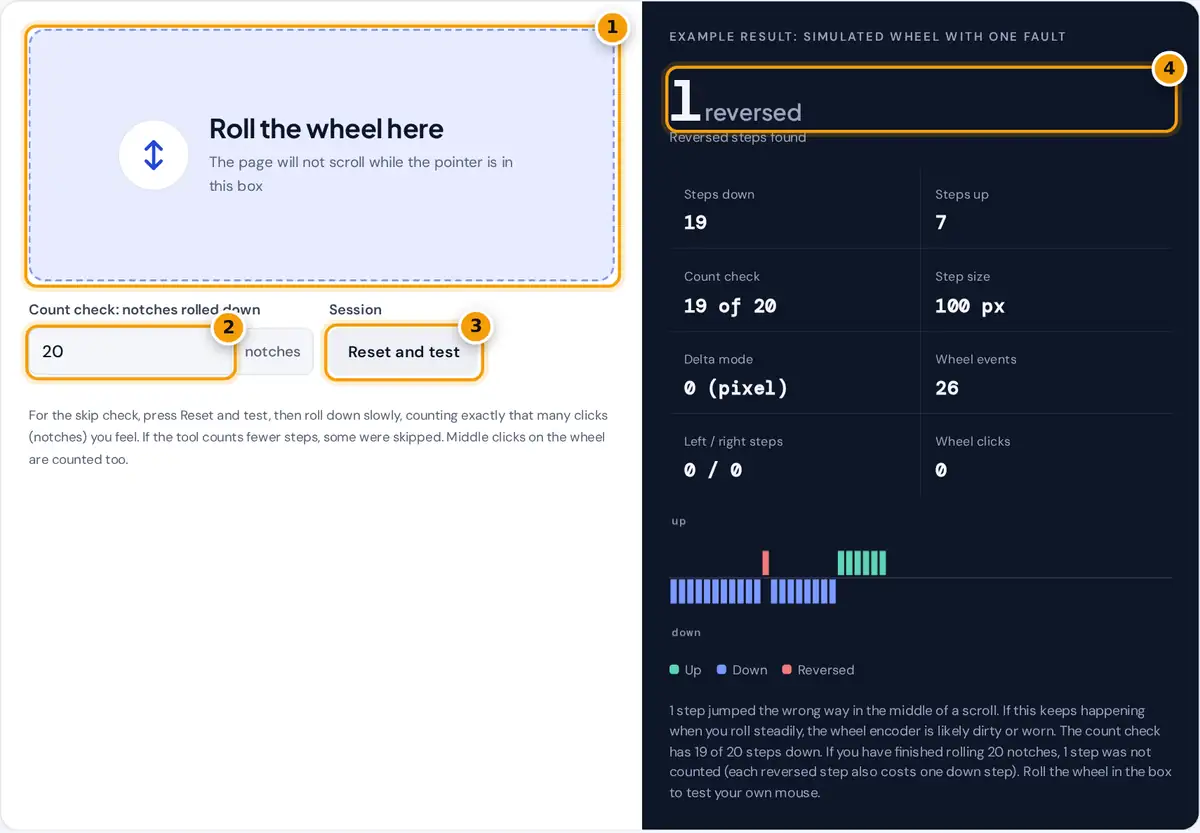
Move the pointer into the box and roll the wheel. The page itself does not scroll while you are inside the box, so you can roll freely. The arrow shows the direction of each event, the panel counts steps up and down, and the chart draws the latest 60 events: up above the line, down below it, and reversed steps in red. Tilt the wheel sideways, if your mouse supports it, to count left and right steps, and press the wheel to count middle clicks.
To check for skipped steps, set the count check to a number such as 20, press Reset and test, then roll down slowly and count each notch you feel. When you stop, Count check should read 20 of 20. A lower number means some notches never reached the computer. The page opens with an example session that contains one reversed step, so you can see what a fault looks like.
How Steps and Faults Are Detected
Every roll of the wheel sends a wheel event with a delta, the distance to scroll, and a deltaMode that says what unit the delta is in. The W3C UI Events standard defines three modes:
| deltaMode | Unit | Typical source |
|---|---|---|
| 0 | Pixels | Most browsers for mice and touchpads |
| 1 | Lines | Some browsers for notched mouse wheels |
| 2 | Pages | Systems set to scroll one page per notch |
The tool learns your step size from the most common event size, so it works whatever your browser, zoom and system settings report. A positive deltaY is a step down and a negative one is a step up.
steps in an event = round(|delta| ÷ step size), at least 1
reversed = one event against the direction of the events just before and after it, each within 250 ms
skipped = notches you counted − steps down
When fewer than 40% of events share one size, the input is treated as smooth, which is typical of touchpads and free spinning wheels. Steps are then shown as fractions and the count check is switched off.
Worked Example
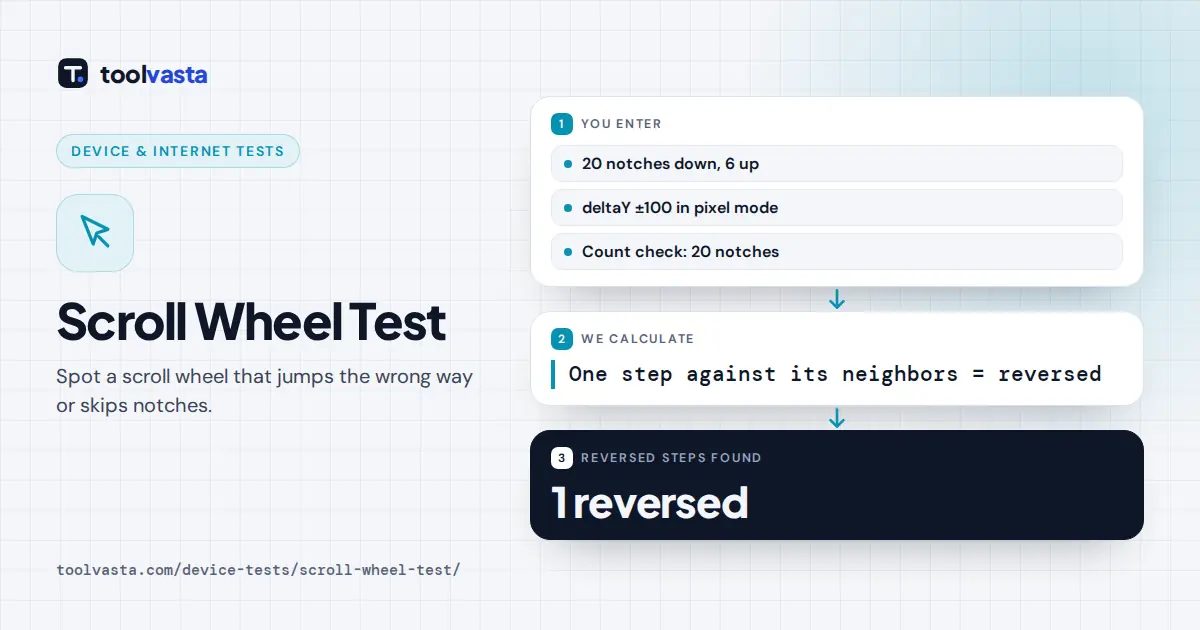
In the example session, 20 notches are rolled down, each sending deltaY = 100 in pixel mode, 60 ms apart. The 12th event arrives as deltaY = −100. It points up, while the events 60 ms before and after it point down, so it is flagged as reversed. The count check then shows 19 of 20, because that notch was counted as a step up instead. After a short pause, 6 notches are rolled up, so the totals are 19 steps down and 6 + 1 = 7 steps up.
Why a Scroll Wheel Jumps or Skips
Most mouse wheels use a small rotary encoder: two contacts or an optical sensor that produce two offset signals as the wheel turns. The order of the signals tells the mouse which way you turned. Dust, hair, wear or a weak contact can scramble that order for a moment, which sends a step the wrong way, or hide a step entirely. That is the familiar wheel that jumps back up while you scroll down a long page.
- Clean it. Blow compressed air into the gaps around the wheel while rolling it. This fixes many cases of jumping.
- Check the software. Smooth scrolling and acceleration features change event sizes. Turn them off for a clean test.
- Test on another computer. If faults follow the mouse, the encoder is the cause. If not, look at drivers and settings.
- Consider the warranty. An encoder that keeps reversing after cleaning is worn and usually needs a replacement part or a new mouse.
Limits of the Test
A browser sees wheel events after the mouse, the operating system and the browser have processed them. Some systems merge fast notches into one larger event, which the tool counts as several steps. Very fast rolling can make a correct step look reversed if the system reorders events, so test with slow, steady rolls. Holding Ctrl while scrolling is ignored, because browsers use it for zoom and touchpad pinch gestures.
Frequently asked questions
Why does my scroll wheel jump up when I scroll down?
The wheel's encoder is sending a step in the wrong direction, usually because of dust or wear. This test flags those steps as reversed. Cleaning with compressed air while rolling the wheel often helps.
How do I check if my scroll wheel skips?
Set the count check, press Reset and test, then roll down slowly while counting the notches you feel. If the tool counts fewer steps than you rolled, the missing notches were skipped.
What does deltaMode mean?
It is the unit of a wheel event's delta: 0 for pixels, 1 for lines and 2 for pages. The browser and system decide which mode to use, and this test shows the mode your setup reports.
Why do my steps show as smooth?
Your events vary in size, which happens with touchpads, free spinning wheels and smooth scrolling software. Turn off smooth scrolling or use a notched wheel to count individual steps accurately.
Can I test the tilt wheel and middle click?
Yes. Tilting the wheel left or right is counted in left and right steps, and pressing the wheel down is counted as a wheel click. Middle click auto scrolling is blocked inside the box.
Does the scroll speed setting change the result?
It changes the size of each event, for example 100 pixels or 3 lines per notch. The tool learns the step size from your own events, so steps are still counted one per notch.