How to Use the Click Speed Test
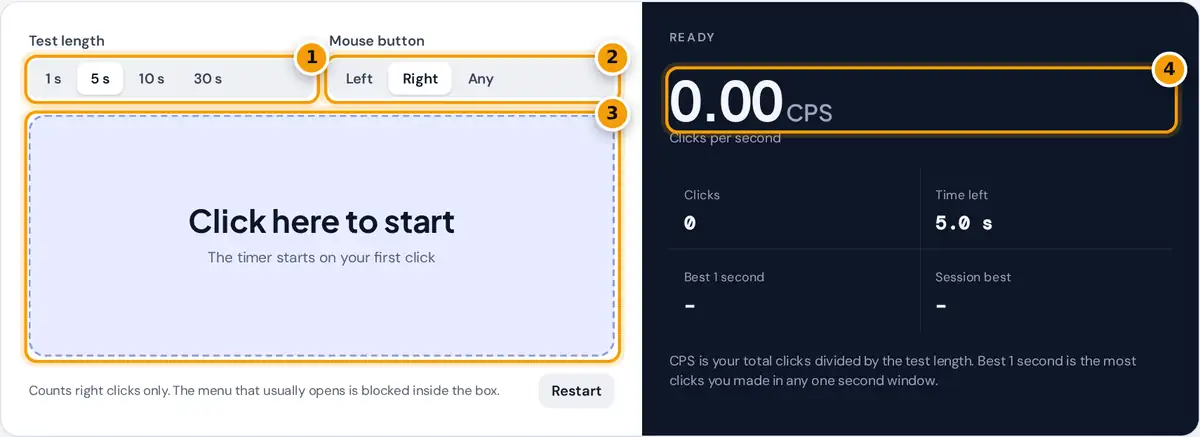
- Pick a test length: 1, 5, 10 or 30 seconds.
- Choose Right for a right click CPS test, or Left or Any.
- Click inside the box as fast as you can. The timer starts on your first click.
- Read your clicks per second, then check total clicks and your best 1 second burst.
Pick a test length of 1, 5, 10 or 30 seconds, then choose the mouse button to measure: Left, Right or Any. The click speed test is ready as soon as the large box appears.
There is no countdown. The timer starts with your first click inside the box, so you can begin whenever you feel ready. Keep clicking as fast as you can until the time left reaches zero.
The panel then shows your clicks per second, your total clicks and your best 1 second window. Longer tests add a per-second breakdown as bars, which shows exactly when your clicking speed started to drop.
Right Click CPS Test: Why It Is a Separate Skill
For a right click CPS test, choose Right. Only presses of the right mouse button count, and the context menu that normally opens is blocked inside the box, so nothing on screen interrupts your run.
Most people score lower with the right button than a left click. You usually press it with your middle finger, which gets less practice in daily use and tends to tire sooner during fast clicking.
Right click speed matters in games. In Minecraft, the right button is used for placing blocks while bridging, and in many shooters it opens a scope. It also confirms that the right button registers reliably.
How CPS Is Calculated
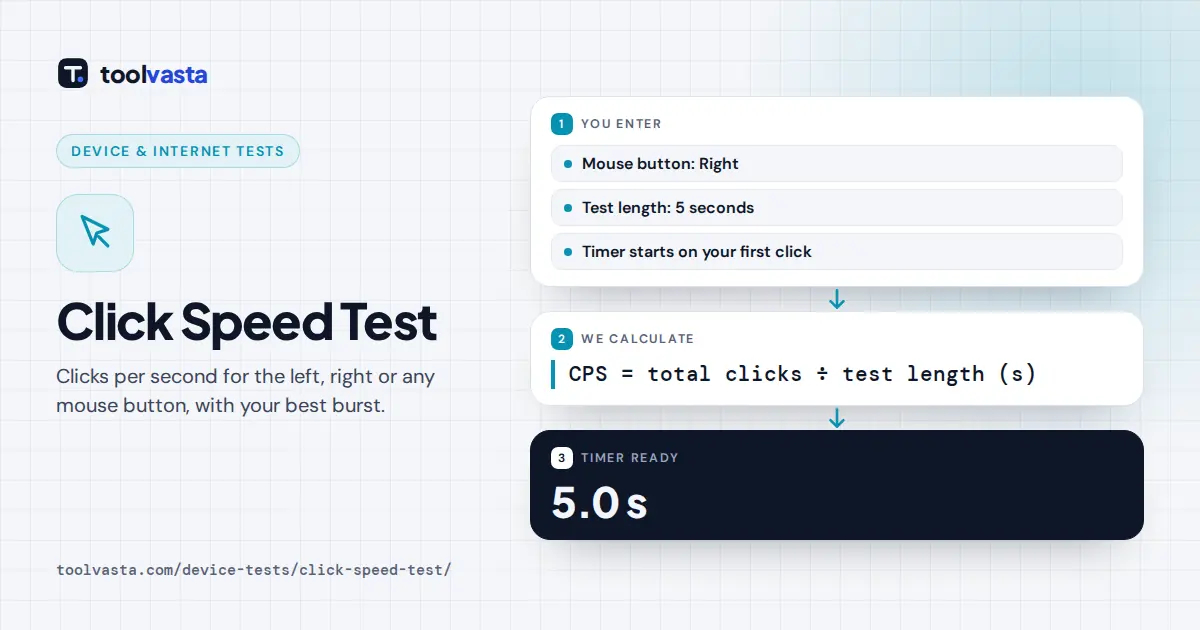
Your score is total clicks divided by the full test length. A click counts once, at the moment the button goes down, and any click after the time limit is ignored by the CPS formula.
Best 1 second = most clicks inside any 1 second window during the test
Clicks are timed with the browser's high-resolution clock, defined by the W3C High Resolution Time specification. As a result, a 5 second test is always scored over exactly 5 seconds, never over a rounded duration.
For example, 38 clicks in a 5 second test gives 7.6 CPS. If nine of those 38 clicks landed within one second, your best 1 second is 9, so your burst speed beats your average.
Which Test Length Should You Use?
Each length measures something a little different. Short tests reward explosive burst speed, while longer ones reward a consistent rhythm and endurance. Compare scores only between runs of the same length and the same button.
| Length | Best for |
|---|---|
| 1 second | Pure burst speed. Results vary a lot from try to try. |
| 5 seconds | The most common CPS test and a good everyday benchmark. |
| 10 seconds | A steadier score that rewards consistent rhythm. |
| 30 seconds | Endurance. Most people slow down noticeably after 10 to 15 seconds. |
A 1 second test is so short that a single click adds a whole extra point. That is why the 5 seconds option is the usual benchmark, and 10 seconds gives a steadier reading again.
The 30 seconds test shows endurance. Watch the bars: if they shrink steadily after the first few seconds, your hand is tensing up. Relaxing your grip usually helps more than pushing harder through the fatigue.
What Is a Good CPS Score?
There is no official standard, but clear patterns exist. Most people manage about 4 to 7 clicks per second with a normal clicking style. Around 8 to 10 CPS is fast for a single finger.
| CPS | How the test describes it |
|---|---|
| Under 4 | A relaxed pace |
| 4 to 6 | Around an average clicking speed |
| 6 to 8 | A fast clicking speed |
| 8 to 11 | A very fast speed |
| 11 or more | Exceptional, usually jitter or butterfly clicking |
These bands match the summary the test writes after each run. Treat them as a guide for a good CPS, not a ranking, because your mouse, hand size and chosen button all shift the result.
Expect your right button score to land a band or so below your left. Scores above about 11 CPS are exceptional and usually come from special techniques rather than ordinary clicking with a single finger.
Clicking Techniques: Jitter, Butterfly and Drag
Jitter clicking means tensing your forearm so the finger vibrates rapidly on the button. It can push scores past 10 CPS, but it is very tiring and puts real strain on your wrist and forearm.
Butterfly clicking alternates two fingers on one button, so each finger only needs half the speed. For the right button, people often use the middle and ring fingers. The Kohi style is a related variation.
Drag clicking slides a finger across the button so friction creates many rapid clicks. It depends heavily on the mouse. Some games and servers ban these methods, so check the server rules before using them.
Trackpads, Touchscreens and Mac
On a trackpad, a two-finger click usually reaches the browser as a right click, so it counts in Right mode. A Control-click on a Mac does not count, since it registers as a left click.
A touchscreen has no right button. On phones and tablets, choose Left or Any to count taps instead. Tap speed is a different skill from mouse clicking, so compare it only with other tap results.
Keyboard presses never count, including Shift+F10, which opens a context menu elsewhere. The test reads pointer input as described in the W3C Pointer Events specification, so a mouse, a pen and touch input all work.
Tips to Click Faster Safely
Relax your hand and keep your wrist loose. Tension makes you tire quickly in longer tests. Press with your fingertip near the front of the button, using short, light presses rather than the whole finger.
Your hardware matters too. Mouse switches with a short, light travel are easier to click quickly, and a responsive button helps. A worn switch can double click or miss presses, which this test can reveal.
Take breaks. Fast clicking for long periods can strain your hand and wrist, so stop if it hurts. Your best score for each length and button is saved on this device only and never uploaded.
Frequently asked questions
Can I test right click CPS?
Yes. Choose Right under Mouse button. Only right clicks are counted and the right click menu is blocked inside the box, so you can click as fast as you like without interruptions.
Why is my right click CPS lower than my left?
You usually press the right button with your middle finger, which gets less practice than your index finger. With regular practice the gap often shrinks, but most people stay a little slower on the right.
What is a good CPS score?
Most people score about 4 to 7 clicks per second. Around 8 to 10 CPS is fast, and scores above about 11 usually come from jitter or butterfly clicking rather than normal clicking.
How is clicks per second calculated?
Your total clicks are divided by the test length in seconds. For example, 38 clicks in a 5 second test is 7.6 CPS. The best 1 second shows your highest burst.
Does a trackpad right click count?
A two-finger trackpad click is usually reported as a right click, so it counts in Right mode. Control-click on a Mac arrives as a left click and does not count.
Is my best score saved?
Your best score for each test length and button is stored in this browser on this device only. It is never uploaded, and clearing your browser data removes it.